How to Use Pine Script on TradingView - Part 2

Hello and welcome! How are you? Hope you are well.
May you and your family stay healthy always.
Today I will explain about Pine Script Part 2.
Have you read Pine Script Part 1?
Read it first so you can better understand this topic.
In the Part 1 article, we explained in detail what Pine Script is and how to do the initial setup to use Pine Script on TradingView.
In short, Pine Script is a programming language developed within TradingView for backtesting strategies and creating custom indicators.
Pine Script on TradingView
This time, we will learn how to create MACD and Stochastic indicators as an overlay.
Two indicators in a single script (programme).
First, access TradingView.
After you have opened TradingView, look for the Pine Script tab at the bottom.
As shown in the diagram below.
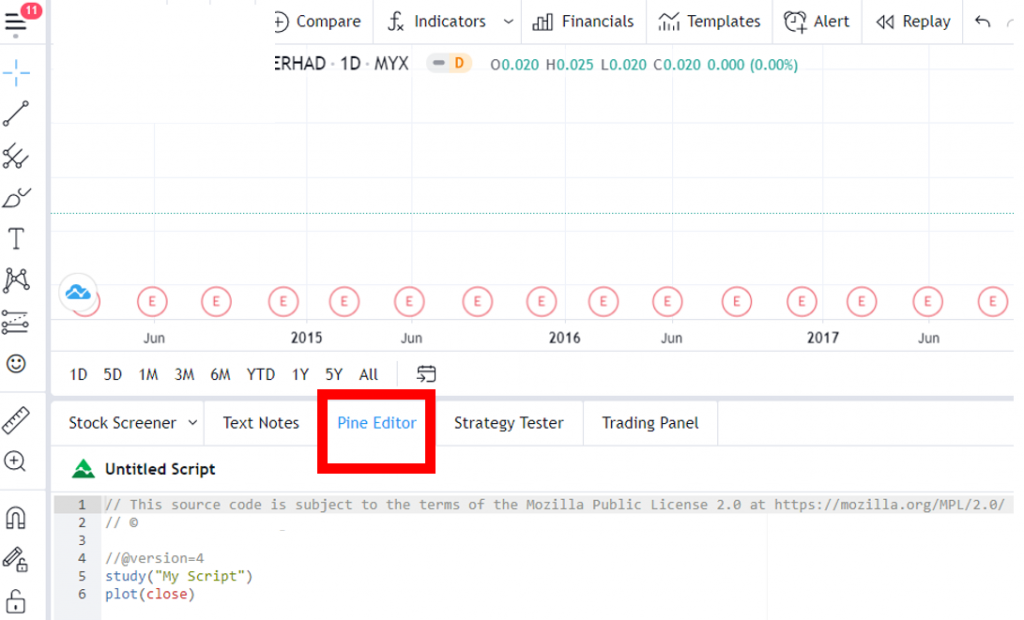
Click on it and a space will be ready for you to type your script.
Here, it has defaulted to version=4 (the latest).
You just need to follow the script that Mahersaham has provided.
This is the script prepared by Team Mahersaham.

After that, type the information for the indicators you want to learn.
Namely the Stochastic + MACD indicators.

Next, type the formula for Stochastic.
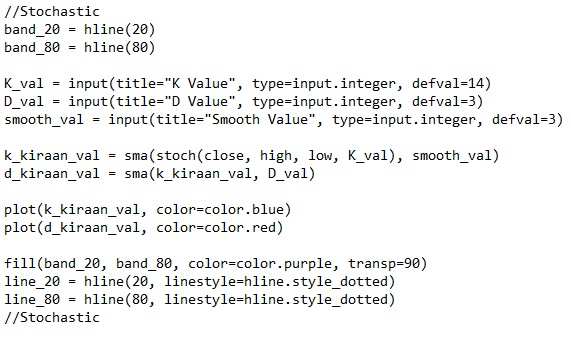
The image above shows the script formula for Stochastic.
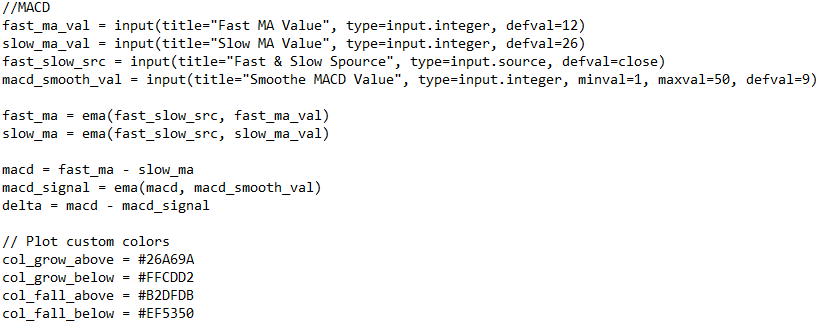
After that, type the formula for MACD.

After that, click Save.
A pop-up will appear as shown in the image below.
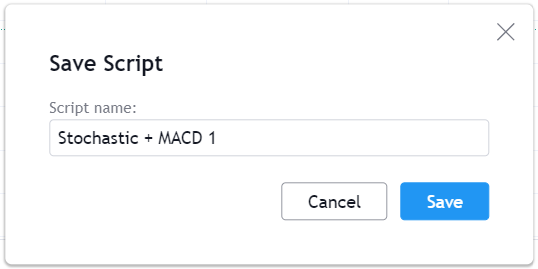
Then enter a name as shown.
And click Save once more.
Done!
How do you view the indicator?
Click the Add to Chart button.
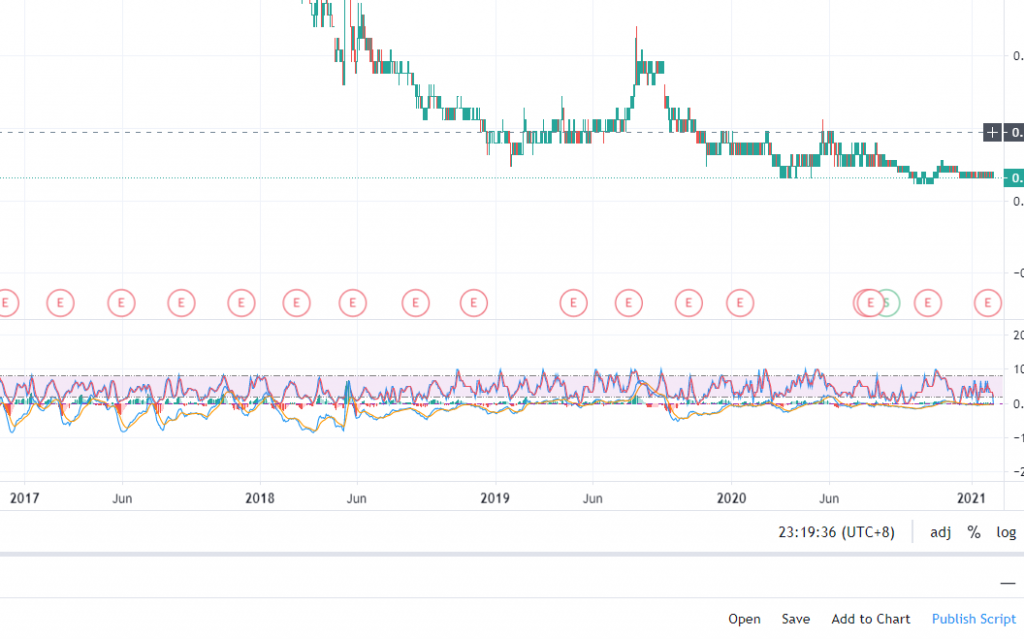
The Stochastic + MACD indicators are now displayed!
Done!
Conclusion
This is an easier method for you to use multiple indicators at the same time.
Do not worry if you do not understand right away. After all, it is programming. It requires continuous practice.
The same goes for learning about stocks. Learning little by little is fine, as long as you are consistent.
As the saying goes, practice makes perfect.
Watch the video we have prepared below for a deeper understanding.
Frequently Asked Questions (FAQ)
1. What is the difference between Pine Script Part 1 and Part 2?
Part 1 covers the basics of using Pine Script, including how to add scripts and understand the basic structure. Part 2 goes deeper with techniques for combining multiple indicators such as Stochastic and MACD in a single script.
2. Can I copy and paste other people's Pine Scripts?
Yes, TradingView has a large community where many traders share their scripts. You can use public scripts or modify them according to your own needs.
3. Can Pine Script be used for automated trading?
Pine Script can be used for backtesting strategies and creating alerts, but it does not support automated trading directly. You would need another platform to auto-execute trades.
4. How do I test a Pine Script before using it?
TradingView provides a Strategy Tester that allows you to backtest scripts on historical data. This helps you evaluate the effectiveness of a strategy before using it in actual trading.
Ready to put your knowledge into practice? Open a CDS account with Mahersaham and start investing with guidance. Download our free stock basics ebook for a solid foundation.